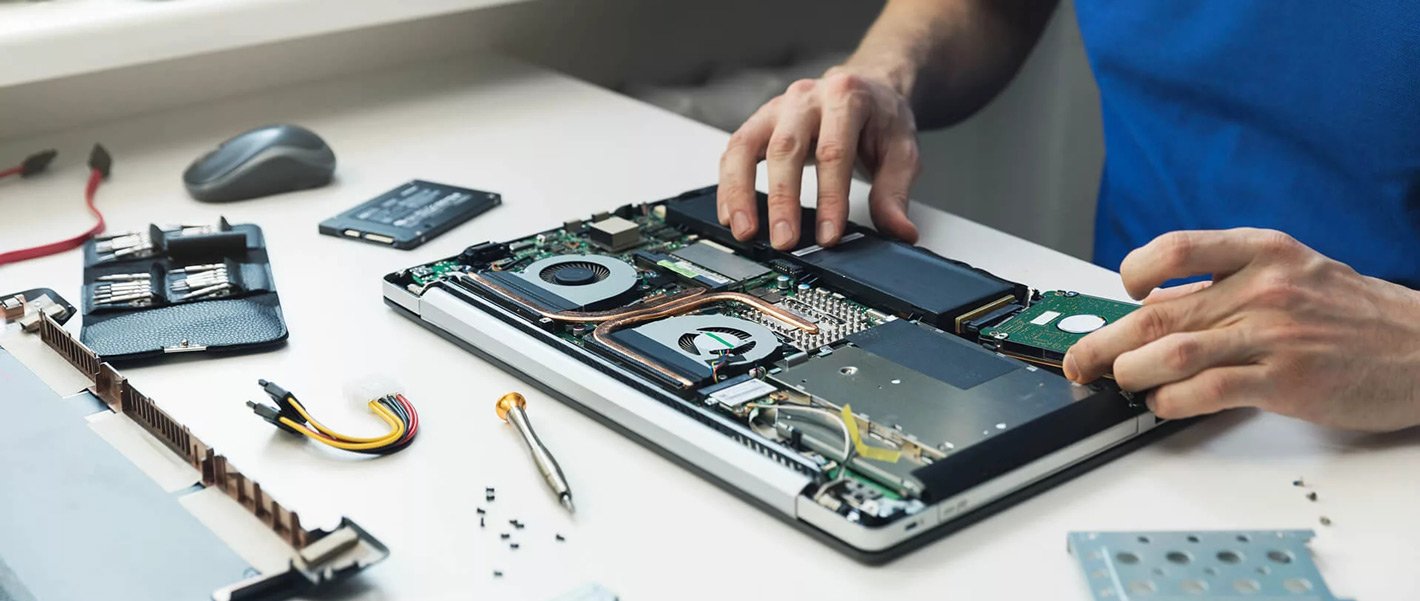
An office technology upgrade often feels like a fresh beginning. New desktops arrive, faster systems are installed, and outdated equipment is moved out of active workspaces. Yet once the new technology is in place, an important question remains: what should happen to the old computers, monitors, servers, and networking devices? For businesses searching for an It scrap buyer Abu Dhabi, the answer can involve more than simply clearing equipment from a storeroom.
Retired IT equipment can still contain useful components and recoverable value, even when the complete system is no longer suitable for everyday business operations. Processors, memory, storage devices, graphics cards, power supplies, and other components may have resale or recovery value depending on their condition and market demand. A structured approach can therefore turn an office clearance from a disposal problem into an organised asset recovery process.
The Hidden Problem After an IT Upgrade
When companies replace their computers in bulk, the old machines do not disappear automatically. They may be moved into storage rooms, placed under desks, stacked in warehouses, or left unused while employees adjust to the new systems. Over time, these devices can become harder to track, and businesses may lose a clear record of what equipment is still sitting on their premises.
This becomes particularly challenging when an upgrade involves dozens or hundreds of devices. Instead of treating every old computer as individual waste, businesses can create an inventory based on device type, quantity, condition, and specifications. This makes it easier to understand what can potentially be reused, resold, recycled, or handled as scrap.
Not Every Old Computer Is Simply Scrap
Age does not automatically determine whether a computer has value. A machine that is outdated for one company’s requirements may still contain components that are useful elsewhere. Similarly, a computer that no longer powers on may still contain recoverable hardware or recyclable materials.
Professional buyers generally consider factors such as brand, model, specifications, physical condition, quantity, and current market demand when assessing IT equipment. Current purchasing information for Abu Dhabi includes desktops, gaming PCs, servers, networking equipment, switches, and other hardware, with both working and non-working desktop systems considered in the buying process.
Data Should Be Handled Before the Equipment Leaves
One of the most important considerations during an office IT clearance is not the physical equipment but the information stored on it. Old computers and storage devices may contain employee files, customer records, passwords, business documents, or other sensitive information. Simply deleting files or moving them to the recycle bin does not necessarily provide the same level of protection as a proper data-wiping process.
Businesses should therefore establish a clear data-handling procedure before equipment is collected. Devices containing storage should be identified, data should be securely removed according to the organisation’s requirements, and internal records should be updated. Separating the data-security stage from the physical sale or disposal stage helps reduce the possibility of overlooking a device during a large office clearance.
Create an Inventory Before Calling a Buyer
A basic inventory can make the selling process considerably easier. Businesses can record the number of desktops, laptops, servers, monitors, switches, routers, and other equipment being removed. Where possible, model numbers, specifications, working condition, and visible damage can also be recorded.
This information allows a buyer to understand the scale and composition of the collection before an inspection takes place. It can also make internal approval easier because decision-makers have a clearer picture of what is being removed. For larger corporate clearances, organised information can save considerable time compared with trying to identify hundreds of devices individually during collection.
Working and Non-Working Equipment Can Have Different Value
A computer that starts normally and runs reliably may have a different value from one that does not power on. However, a non-working system should not automatically be treated as worthless. Individual components may still have demand depending on their specifications, condition, and potential for reuse or recovery.
For example, processors, RAM, storage drives, graphics cards, motherboards, and power supplies can all contribute to the assessment of a desktop. The exact value depends on the equipment rather than a simple working-or-broken classification. A professional assessment can therefore be useful when a business has a mixed collection containing functional, outdated, damaged, and non-functional systems.
Bulk Collection Can Simplify Office Clearances
Large technology upgrades create a logistical challenge as much as a financial one. Moving individual computers through separate sales channels can take considerable time, especially when an organisation has several departments or locations involved. A bulk purchasing arrangement can consolidate the process into fewer transactions.
Current Abu Dhabi service information indicates that bulk IT scrap purchases can cover offices, companies, schools, and commercial facilities, including collections involving desktops, servers, and networking equipment. Pickup can be coordinated according to the equipment and location, helping businesses avoid keeping retired hardware in storage indefinitely.
Networking Equipment Should Not Be Forgotten
Office upgrades do not only involve computers. Network infrastructure can also be replaced when organisations move to newer systems, higher speeds, or different architectures. Old switches, routers, servers, and related equipment can therefore become part of the same clearance project.
Networking devices should be included in the inventory rather than being treated as an afterthought. Their value can depend on manufacturer, model, specifications, physical condition, quantity, and current demand. Some equipment may be suitable for reuse, while other units may be more appropriate for parts recovery or scrap processing.
Prepare Equipment Before Collection
A little preparation can make collection significantly smoother. Businesses can separate equipment by category, remove unnecessary packaging or unrelated materials, gather accessories that belong with particular devices, and label larger groups of hardware. Keeping cables, adapters, power supplies, mounting brackets, and other relevant components together can also help with assessment.
Photographs and basic equipment lists can be useful when requesting an initial valuation. Clear information about condition can reduce misunderstandings between the initial quote and the final inspection. For businesses handling a large quantity of hardware, this preparation can turn what might otherwise be a chaotic clearance into a much more structured process.
Choose a Process That Fits the Business
The right approach to retired IT equipment depends on the size of the organisation and the nature of its inventory. A small business replacing a few desktops may need only a simple collection, while a larger company relocating an office could have servers, switches, workstations, monitors, and other equipment to process at once.
A buyer that handles both individual and bulk transactions can provide greater flexibility for businesses with changing requirements. Current Abu Dhabi service information describes support for single systems as well as larger office clearances, with valuation based on equipment details and collection followed by payment after verification.
Turn an IT Upgrade Into a More Organised Exit
Technology upgrades are usually planned around what a company is gaining, but the outgoing equipment deserves the same level of attention. Leaving old systems in storage can consume space, create inventory headaches, and allow potentially valuable hardware to lose relevance over time. A planned exit strategy gives businesses a clearer way to handle the equipment they no longer need.
For companies looking for an It scrap buyer Abu Dhabi, the process can begin well before collection day. Identify the equipment, protect the data, record specifications, separate working and non-working systems, and understand what categories are included. This approach makes the transition from old technology to new technology cleaner and easier to manage.
Conclusion
An office technology upgrade should not end when the new computers are switched on. Retired equipment still needs to be accounted for, sensitive information needs appropriate handling, and usable hardware should be assessed before being classified as waste. A structured approach can help businesses recover potential value while keeping the clearance process organised.
IT Scrap Buyer serves Abu Dhabi with purchasing services for desktops, gaming PCs, servers, networking equipment, switches, and other IT hardware, including single-unit and bulk collections. Its published process includes equipment assessment, collection coordination, and payment following verification. For businesses also searching for Computer Scrap Buyers, preparing equipment carefully and understanding its condition can make the entire transition from old infrastructure to new systems considerably more straightforward.