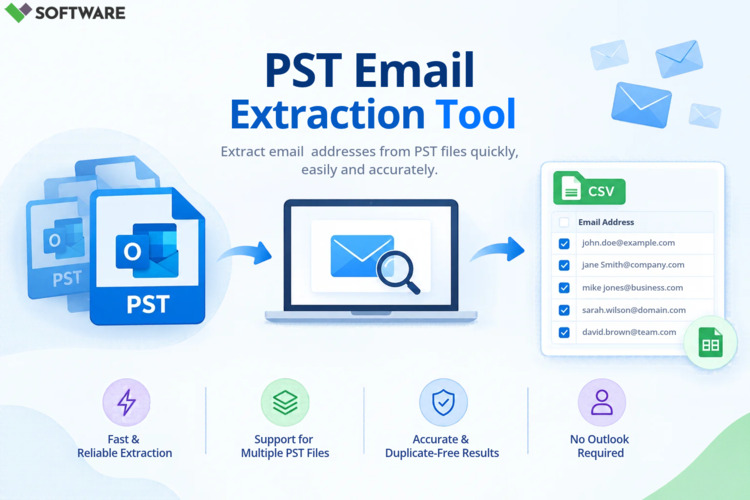
In today’s data-driven business environment, email communication remains one of the most important channels for customer engagement, sales, support, and internal collaboration. Organizations often maintain large Outlook archives in PST (Personal Storage Table) format that contain valuable email addresses accumulated over years of communication. Extracting these email addresses manually can be time-consuming and prone to errors. This is where PST Email Address Extractor Software becomes an essential solution.
A professional PST email address extractor allows users to collect email addresses from one or multiple PST files quickly, accurately, and efficiently. Whether you are building contact databases, preparing for email migration, conducting compliance audits, or managing customer relationships, bulk extraction tools simplify the entire process.
Understanding PST Files
PST files are Outlook data files used to store mailbox information locally. These files may contain:
- Emails
- Contacts
- Attachments
- Calendars
- Notes
- Tasks
- Journal entries
Over time, PST files can grow significantly and contain thousands of email addresses across inboxes, sent items, archives, and contact folders. Accessing this information manually becomes increasingly difficult, especially when working with multiple PST files.
What Is PST Email Address Extractor Software?
PST Email Address Extractor Software is a specialized application designed to scan Outlook PST files and extract email addresses in bulk. The software automatically searches mailbox folders and retrieves sender, recipient, CC, BCC, and contact email addresses.
The extracted addresses can then be saved into formats such as:
- CSV
- Excel (XLS/XLSX)
- TXT
- Contact databases
This automated approach eliminates the need to manually search through thousands of emails.
Why Businesses Need Bulk Email Address Extraction
Organizations collect large volumes of email addresses through daily communication. Extracting these contacts can offer several strategic benefits.
Building Customer Databases
Sales and marketing teams often use extracted email lists to build and maintain customer databases for future communication and lead management.
Email Migration Projects
When migrating from one email platform to another, organizations frequently need to collect address data from PST archives.
Customer Relationship Management
Businesses can import extracted contacts into CRM platforms to improve customer engagement and communication tracking.
Compliance and Auditing
Legal and compliance teams may require access to communication records and contact information during investigations or audits.
Business Continuity
Archived PST files often contain valuable contact information that may not exist elsewhere. Extracting addresses ensures this information remains accessible.
Challenges of Manual Email Address Extraction
Many users attempt to extract email addresses manually from Outlook. However, this process presents several challenges.
Time-Consuming Process
Reviewing thousands of emails individually requires substantial effort and resources.
Risk of Human Error
Manual copying and data collection often result in missing contacts or inaccurate records.
Duplicate Records
Large mailboxes typically contain recurring communication with the same recipients, leading to duplicate email addresses.
Multiple PST Files
Organizations may maintain dozens or even hundreds of PST files, making manual extraction impractical.
Folder Complexity
Important email addresses may be distributed across various folders, including:
- Inbox
- Sent Items
- Drafts
- Archives
- Contacts
Finding and compiling all addresses manually becomes extremely difficult.
Key Features of PST Email Address Extractor Software
When choosing a PST extraction solution, several features should be considered.
Bulk PST File Processing
One of the most important capabilities is the ability to process multiple PST files simultaneously. Bulk processing significantly reduces workload and accelerates extraction projects.
Extraction from All Mailbox Folders
Advanced software scans all mailbox components, ensuring comprehensive email address collection from:
- Emails
- Contacts
- Distribution lists
- Archived folders
Duplicate Removal
A quality solution automatically identifies and removes duplicate email addresses, ensuring a cleaner and more reliable output list.
Advanced Filtering Options
Filtering capabilities allow users to extract only relevant email addresses based on:
- Date ranges
- Specific folders
- Sender addresses
- Recipient addresses
- Domain names
Preview Functionality
Most professional tools allow users to preview extracted data before exporting, helping ensure accuracy and completeness.
Export Flexibility
Export options typically include:
- CSV files
- Excel spreadsheets
- Text files
These formats simplify integration with CRM systems and marketing platforms.
Steps to Extract Email Addresses in Bulk
Using PST Email Address Extractor Software is generally a straightforward process.
Step 1: Install the Software
Download and install a trusted PST email extraction tool on your system.
Step 2: Add PST Files
Select one or multiple PST files that contain the mailbox data you wish to analyze.
Step 3: Scan Mailbox Content
The software scans folders and identifies available email addresses from contacts and message headers.
Step 4: Apply Filters
Refine extraction settings based on specific requirements such as folders, date ranges, or domains.
Step 5: Review Results
Preview the extracted addresses and verify the information before exporting.
Step 6: Export the Output
Save the extracted email addresses into CSV, Excel, or TXT format for future use.
The entire process can often be completed within minutes, even when dealing with large PST files.
Advantages of Using PST Email Address Extractor Software
Increased Productivity
Automation eliminates repetitive manual tasks and accelerates data collection.
Improved Accuracy
Advanced extraction algorithms capture addresses more reliably than manual methods.
No Outlook Dependency
Many extraction tools can process PST files directly without requiring Outlook installation.
Scalable Performance
The software can handle large PST archives efficiently, making it suitable for organizations of all sizes.
Better Data Management
Extracted contact lists are easier to organize, analyze, and integrate into business systems.
Use Cases for PST Email Address Extraction
Various industries benefit from email address extraction capabilities.
Marketing Teams
Marketers use extracted contacts to maintain mailing lists and customer communication databases.
IT Administrators
IT professionals often need email address reports during migration and consolidation projects.
Legal Professionals
Law firms may extract contact information from archived communications during discovery or compliance reviews.
Customer Support Teams
Support organizations can build consolidated customer contact databases from historical email records.
Small Businesses
Businesses can preserve valuable customer and partner contacts stored in archived PST files.
Best Practices for Bulk Email Address Extraction
To achieve the best results, consider the following recommendations:
Maintain PST Backups
Always create backup copies before processing mailbox data.
Remove Duplicate Entries
Use software that includes intelligent duplicate detection and removal.
Verify Output Files
Review exported data to ensure accuracy and completeness.
Secure Contact Information
Store extracted email addresses in secure locations and restrict unauthorized access.
Follow Privacy Regulations
Ensure compliance with applicable data protection laws and organizational policies when handling personal information.
Choosing the Right PST Email Address Extractor Software
When evaluating potential solutions, focus on:
- Bulk extraction capabilities
- Processing speed
- Accuracy levels
- Duplicate removal features
- Advanced filtering options
- Compatibility with large PST files
- User-friendly interface
- Export flexibility
A well-designed extraction tool not only saves time but also improves overall data quality.
Conclusion
As organizations continue to manage growing volumes of email data, the need for efficient contact extraction becomes increasingly important. PST Email Address Extractor Software offers a practical and reliable way to collect email addresses from Outlook PST files in bulk without the challenges associated with manual extraction.
By providing automated scanning, duplicate removal, advanced filtering, and flexible export options, these tools help businesses streamline contact management, support email migration initiatives, improve CRM databases, and enhance operational efficiency. Whether you are handling a single archive or managing hundreds of PST files, a dedicated PST email address extractor can significantly simplify the process while ensuring accuracy and data integrity.