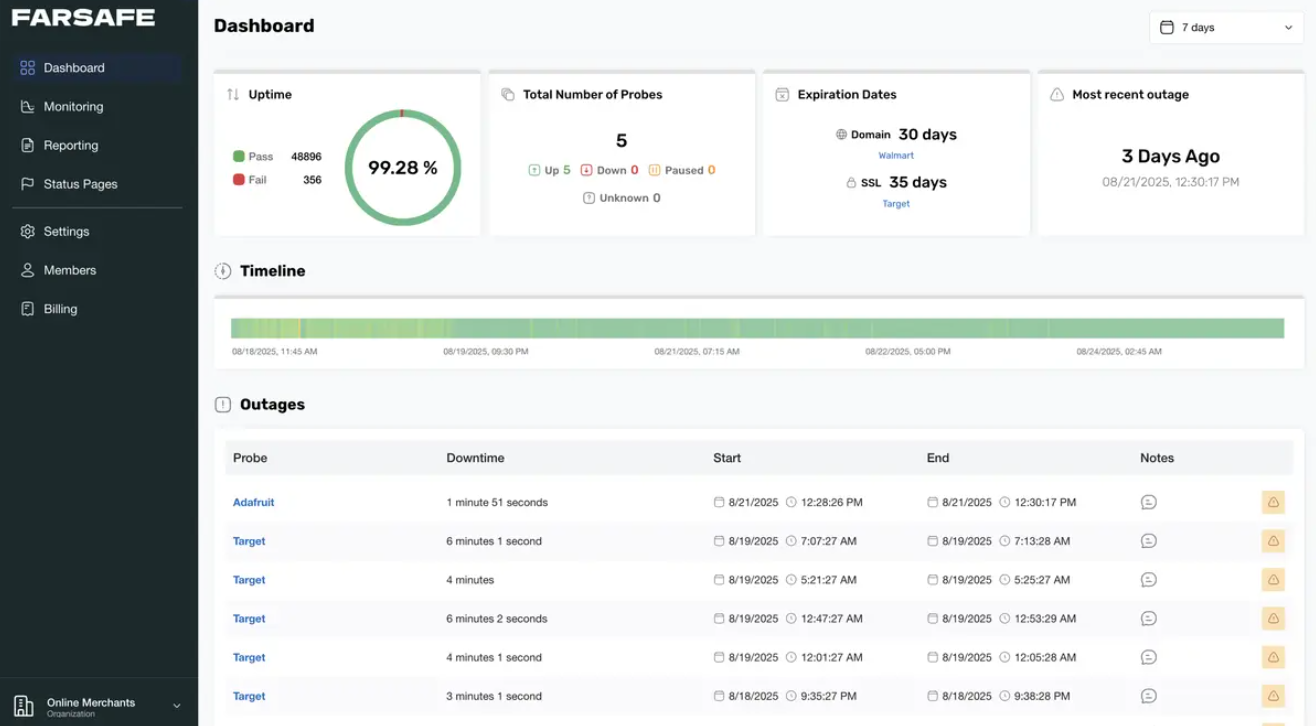
Nothing ruins a Tuesday morning quite like a message from an annoyed client asking why your website is showing a blank white page. You open a new tab, type in your domain, and stare at a database connection error. Even worse is checking your analytics and realizing the site crashed sometime around midnight. You lost eight hours of customer visits, organic clicks, and lead inquiries simply because nobody was looking.
The immediate reaction is often panic. You start looking for solutions, and software companies jump on the chance to sell you enterprise monitoring suites. They show you slick dashboards packed with synthetic user testing, multi-cloud tracing, and automated incident boards. The catch is that these services often run upwards of seventy to one hundred dollars every single month.
If you are running Netflix, Spotify, or an international banking portal, you need that infrastructure. If you run a growing company, a regional trade business, a digital marketing agency, or a high-traffic content site, paying for that complexity is throwing money away. A simple free website monitoring tool gives you the exact peace of mind you need by tracking what actually breaks, alerting you when trouble starts, and keeping your budget intact.
The Real Problems That Actually Take Websites Down
Most websites do not crash because of sophisticated cyber attacks or global network failures. In the real world, websites go down for very ordinary, unglamorous reasons that take place behind the scenes.
A WordPress plugin updates automatically in the background and conflicts with your theme. Your web hosting provider migrates your account to a crowded shared server node that quietly runs out of physical memory. A DNS record gets tweaked during an office email migration and breaks domain resolution. Or perhaps the renewal script on your Let’s Encrypt security certificate fails, leaving visitors staring at an ominous browser privacy warning.
These problems do not require deep code profiling or distributed tracer software to diagnose. You only need to know three core facts at any given moment:
- Is the web server returning a normal status code?
- Is the site loading reasonably fast for actual humans?
- Is the security certificate valid?
A basic, zero-cost monitoring service pings your server from an outside data center on a regular loop. If your server returns an HTTP 500 error, an HTTP 502 bad gateway, or fails to respond before the connection times out, the service flags the failure instantly. That straightforward check catches almost every common problem a growing website will ever face.
The Problem With Enterprise Software Bloat
Enterprise performance tools are designed for teams of dedicated DevOps engineers. When you open their interfaces, you face dozens of configuration panels, custom query builders, and complex alert rules that take days to learn.
For a business owner or an in-house marketer, all of that data creates clutter. You do not need to analyze CPU thread allocation or trace individual database query wait times down to the microsecond. You need to know if real customers can load your pricing page, read your blog, or fill out your contact form.
When you sign up for bulky paid platforms too early, you end up paying for enterprise features that sit untouched. Worse, these tools can send dozens of false alarms about minor CPU spikes that never impacted a single visitor. A focused monitoring service keeps the entire process clean. It sits silently in the background, checks your address, and only reaches out when your site is genuinely inaccessible.
How Unchecked Downtime Hurts Your Organic Search Traffic
Search engine optimization takes months of consistent effort. You build helpful content, optimize metadata, earn quality backlinks, and fine-tune your technical setup. Leaving your site unmonitored puts all of that steady progress at risk.
Search engines like Google crawl the web constantly using automated bots. When a crawler visits your website, it expects a quick, clean response code. If the crawler arrives during an outage, it hits a server error.
According to guidelines published on Google Search Central, frequent or long server failures directly hurt how search engines interact with your content. If Googlebot runs into repeated 500-level errors or connection dropouts over several hours, it immediately slows down its crawl rate to avoid crashing your host. That means newly published articles or updated product listings take much longer to appear in search results.
If an outage lasts for days because nobody noticed, search engines will begin removing unavailable URLs from search results altogether to protect their users from broken links. Regaining those keyword rankings once your hosting issues are fixed is never instant. It can take weeks of crawling for search engines to trust your server stability again. Regular automated monitoring prevents temporary hosting glitches from snowballing into long-term organic traffic drops.
Setting Up Alerts That Help Instead of Annoy
Setting up a monitor takes five minutes, but doing it correctly makes all the difference between staying informed and suffering from alert fatigue.
The biggest mistake people make is setting the ping frequency too aggressively. Some platforms boast about thirty-second ping intervals. In practice, public internet connections experience brief network hiccups all the time. If your host drops a single data packet and your monitor triggers an emergency email every single time, you will quickly learn to ignore those alerts. A check interval of three to five minutes provides the sweet spot. It catches genuine downtime fast while ignoring temporary blips.
Good monitoring tools also use regional double checks. If a test server in Dallas cannot reach your site, the software immediately checks from a second location, such as London or Frankfurt, before sending an alert. This ensures you only receive a notification when the server is truly unreachable.
Finally, make sure the notifications go somewhere you actually look. Avoid routing uptime alerts to a generic administrator inbox that nobody opens until Friday afternoon. Send the notification to your daily work email or directly into your team chat app so whoever manages your web hosting can take action immediately.
When Does a Paid Monitoring Tool Make Sense?
While a basic tool covers almost everyone, there are specific situations where stepping up to a paid tier makes sense.
If you run an e-commerce store pulling in high hourly revenue, standard uptime checks are not quite enough. A server can return a healthy HTTP 200 code even if the checkout button is completely broken. Paid transaction monitors can simulate a customer adding an item to a cart, entering test billing information, and submitting an order. If that multi-step funnel breaks at step three, you get notified immediately.
Paid plans also make sense for agencies managing hundreds of client websites under strict service level agreements where every client requires a private branded uptime dashboard and historical uptime reports for contractual compliance.
If you are not running an enterprise store with thousands of transactions a day, you simply do not need those features yet. Running lean with a zero-cost tool lets you invest your money where it actually moves the needle, like building better content, improving site design, or expanding your customer support.
Frequently Asked Questions
It primarily tracks server availability and response codes. It regularly pings your site to make sure the web server returns a healthy response, alerts you if the connection drops, checks response speeds, and watches your SSL certificate to warn you before it expires.
For most small and medium websites, checking every three to five minutes is ideal. It detects outages quickly enough to protect your business while avoiding false alarms caused by minor network flickers.
Yes. When potential clients visit your URL and find an error page or a security warning, they assume your business is either inactive, untrustworthy, or negligent. Catching outages immediately helps you resolve them before clients notice.
No. An uptime check is an extremely small, lightweight HTTP request that takes only a few bytes of bandwidth. It places virtually zero load on your server compared to normal visitors browsing your pages.
Not at all. Most platforms only require you to paste in your website URL, pick how often you want it checked, and enter the email address where you want failure alerts sent. The entire process takes less than five minutes.
A Practical Way Forward
You do not need an enterprise budget or a background in network engineering to run a fast, reliable website. Modern digital marketing is already full of expensive monthly subscriptions, and basic uptime tracking is one area where you do not need to spend extra money.
Take ten minutes this week to set up a clean, zero-cost monitoring check for your domain. Test your notification settings, make sure your alerts land in an inbox you check daily, and let the software handle the watching. You will sleep much better knowing that if your hosting server ever acts up, you will be the first person to know, not the last.